Skip to content
Nugget.

A VPN app with just one button.

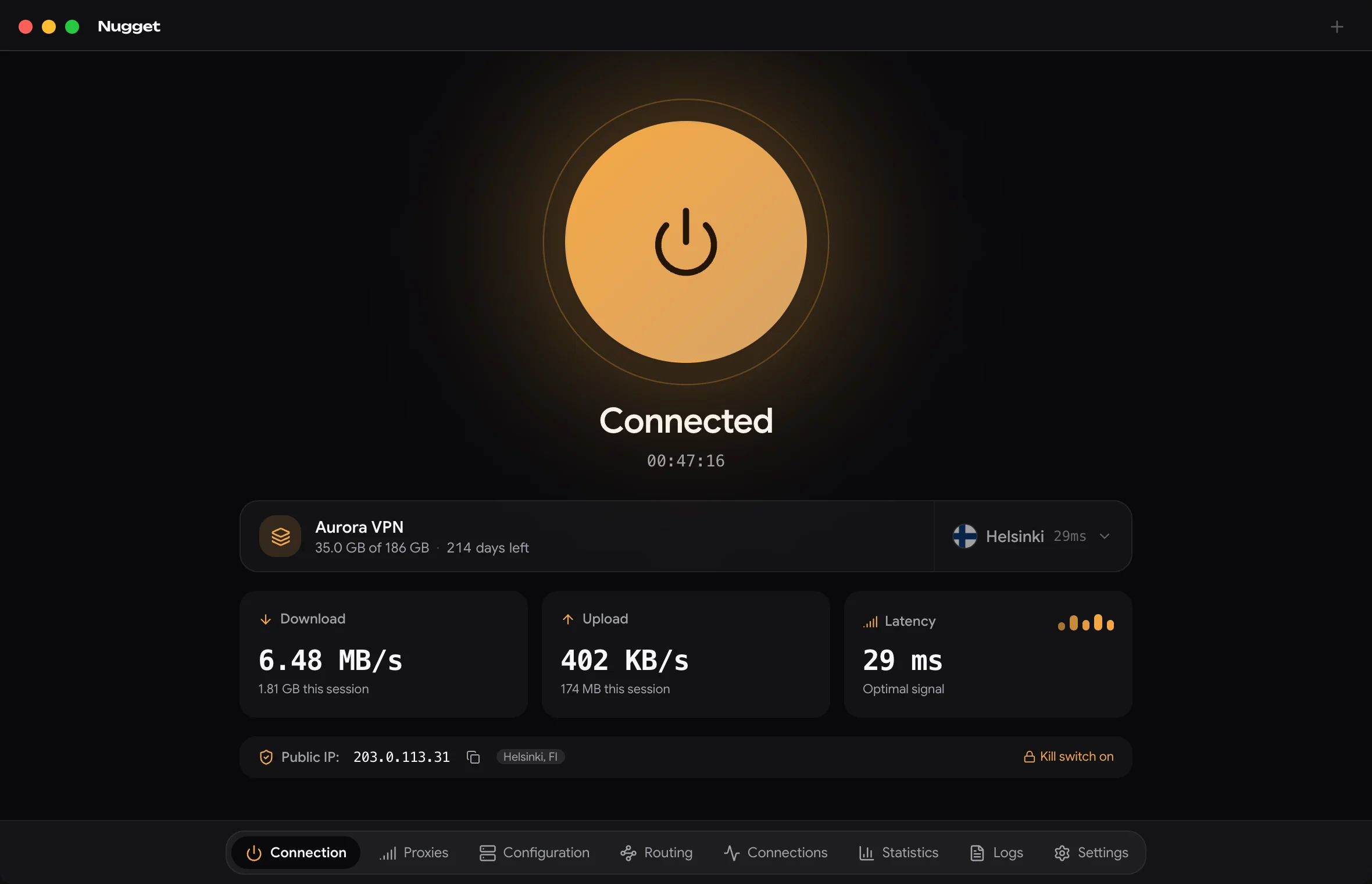
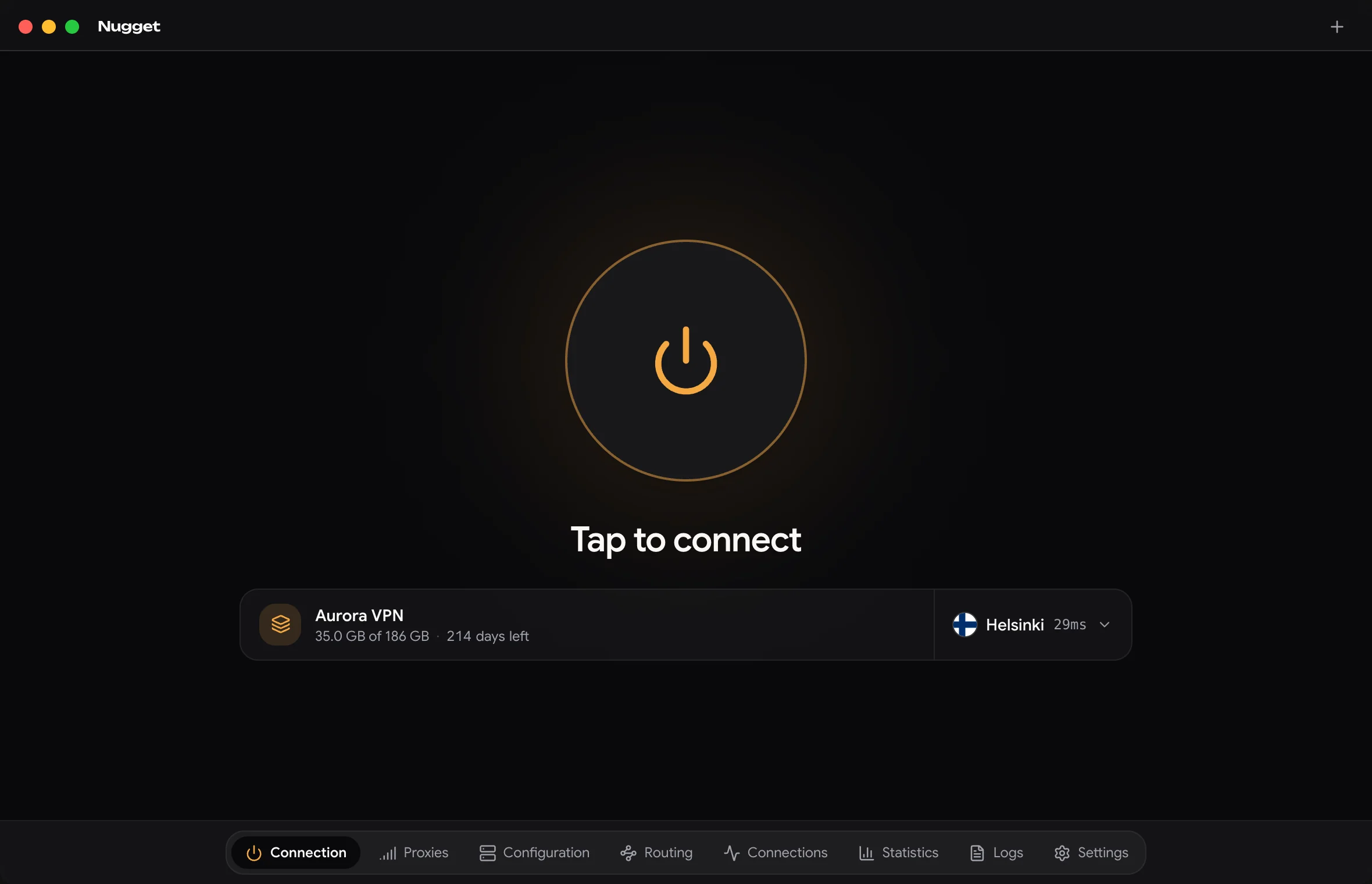
NuggetVPN is a free app for the VPN you already have. Copy the link your VPN provider sent you, paste it in, press the big button. That’s all there is to it.

NuggetVPN’s home screen, not connected: a large connect button with Aurora VPN’s subscription and the Helsinki server below it.
Go on, press it.
  • VLESS + Reality
  • VMess
  • Trojan
  • Shadowsocks
  • Hysteria2
  • TUIC
  • WireGuard
  • SOCKS
  • SSH

One big button. Everything else only if you want it

Most days you’ll just press the button. Here’s what’s there when you need more.

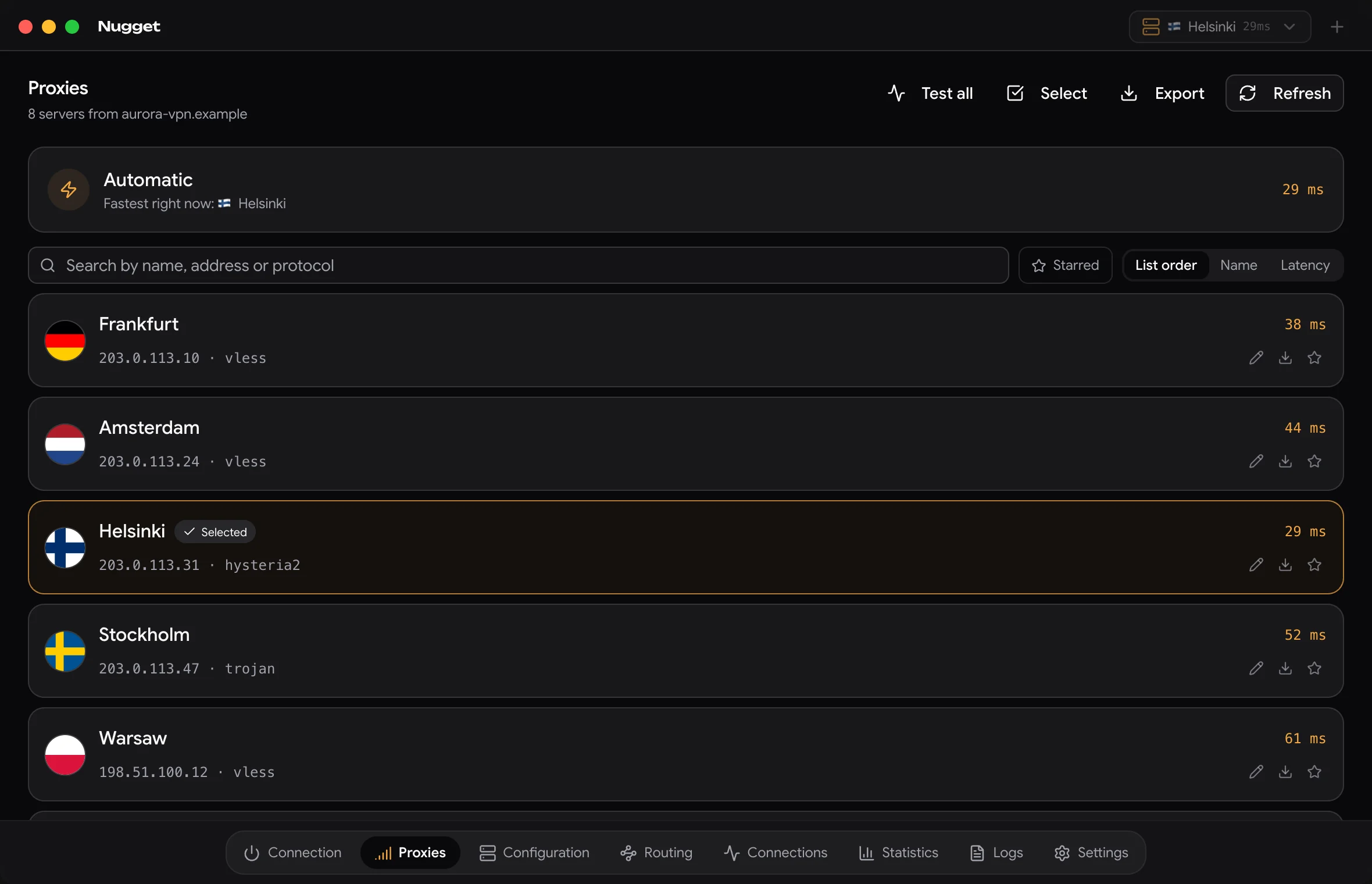
The server list: Frankfurt, Amsterdam, Helsinki, Stockholm and Warsaw, each with its flag, address, protocol and ping.

Pick a country, or let Nugget pick the fastest

All your provider’s servers in one list, each with its flag and how quickly it answers. Leave it on Automatic and Nugget connects you to the quickest one.

  • See which servers are fast before you connect
  • Test them all with one tap, star your favourites
  • Servers that won’t work are marked, with the reason why
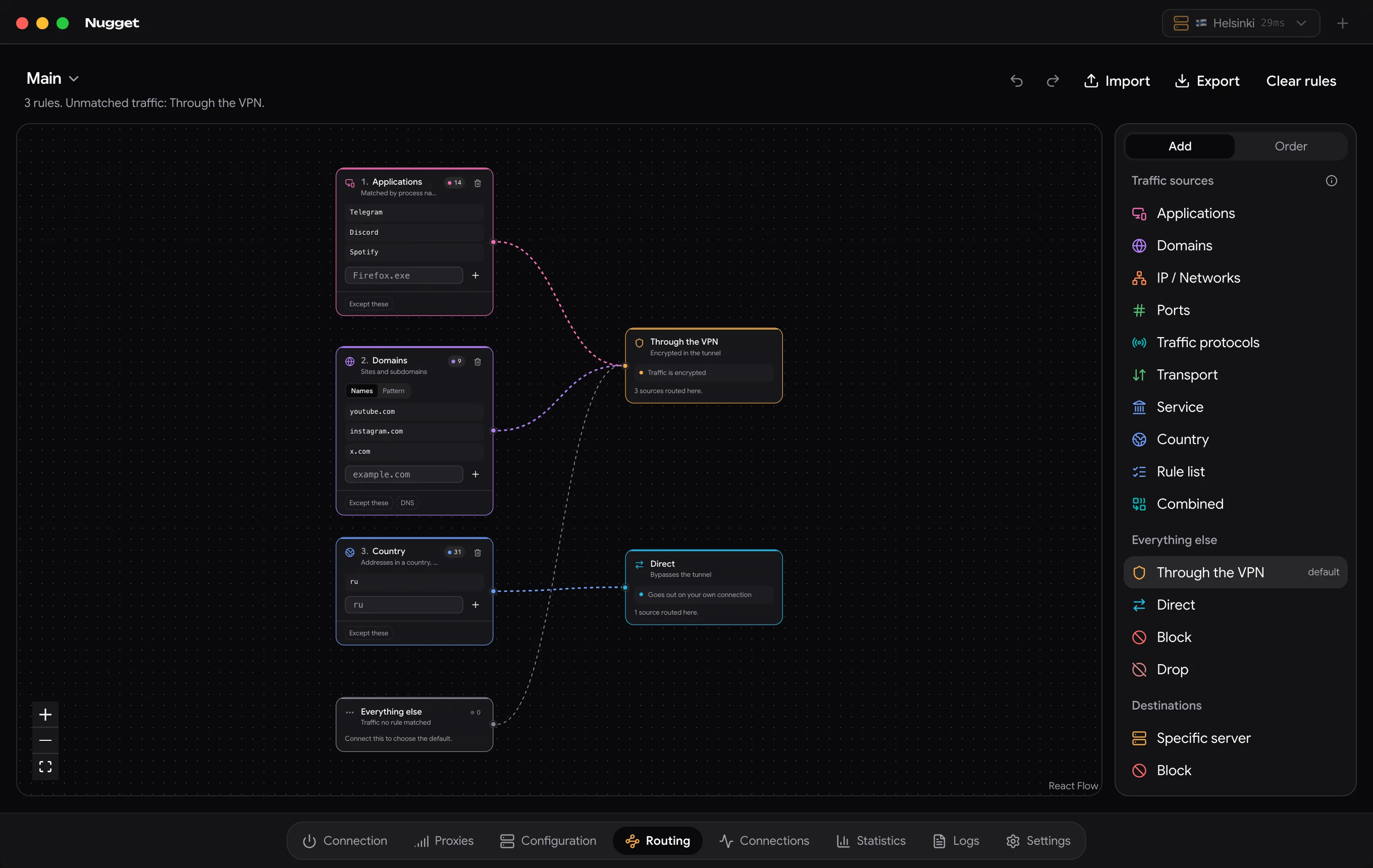
The routing graph: Telegram, Discord and Spotify, and three domains, going through the VPN; addresses in Russia going direct.

Choose which apps use the VPN

Send Telegram and Discord through the VPN and leave everything else on your normal connection. It’s a picture you can read: apps and sites on the left, where they go on the right. Drag a line to change it.

  • Choose by app, by website or by country
  • Through the VPN, on your normal connection, or blocked
  • See live which rule is handling what
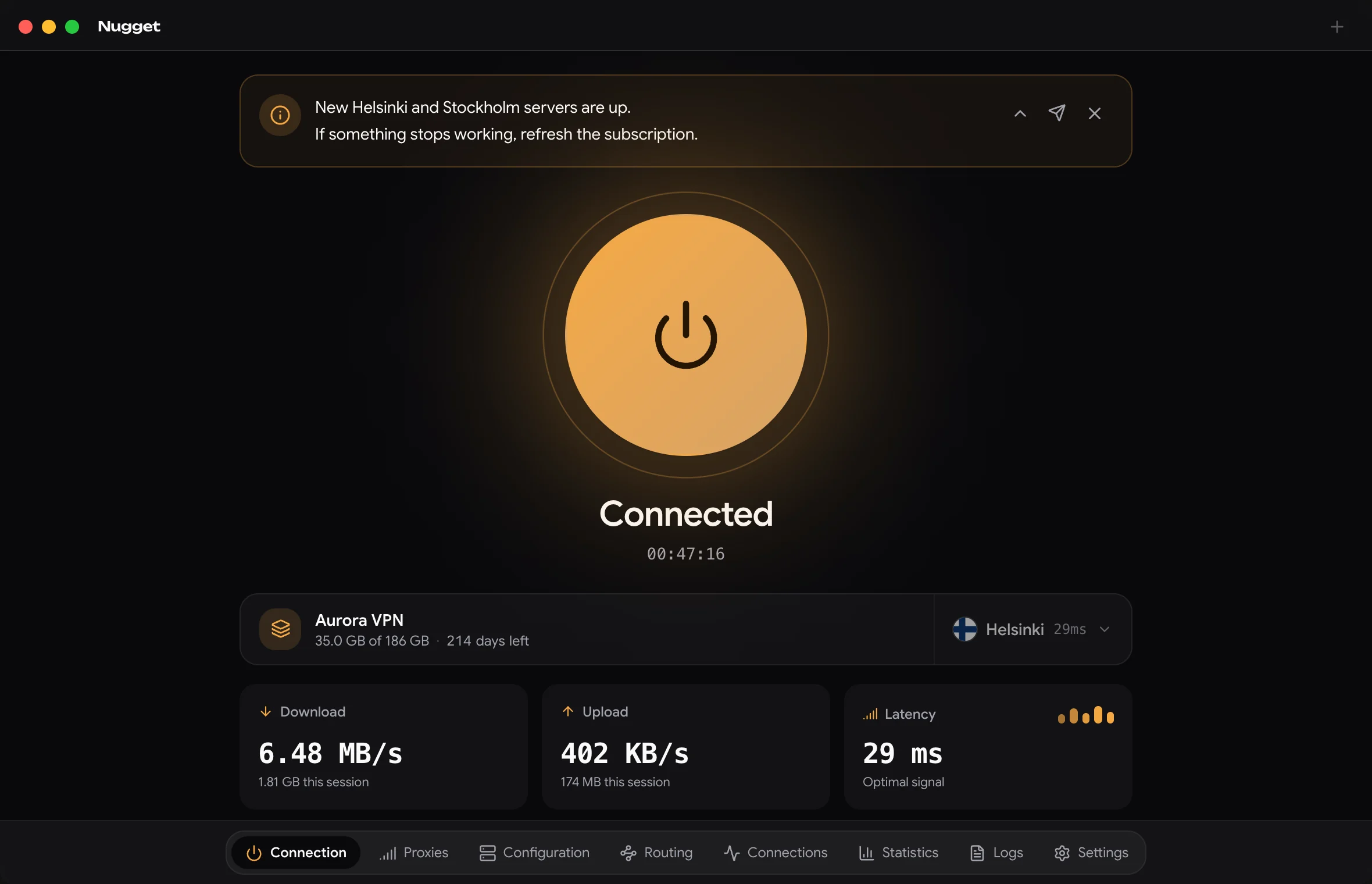
The home screen with a message from the provider at the top, and the subscription showing 35 GB of 186 GB used and 214 days left.

Always know how much you have left

Data used, days left and your provider’s support link are right next to the button. When your provider has news, it shows at the top.

  • Data and expiry date come straight from your provider
  • Hide a message once you’ve read it
  • Your server list keeps itself up to date

Make it look like yours

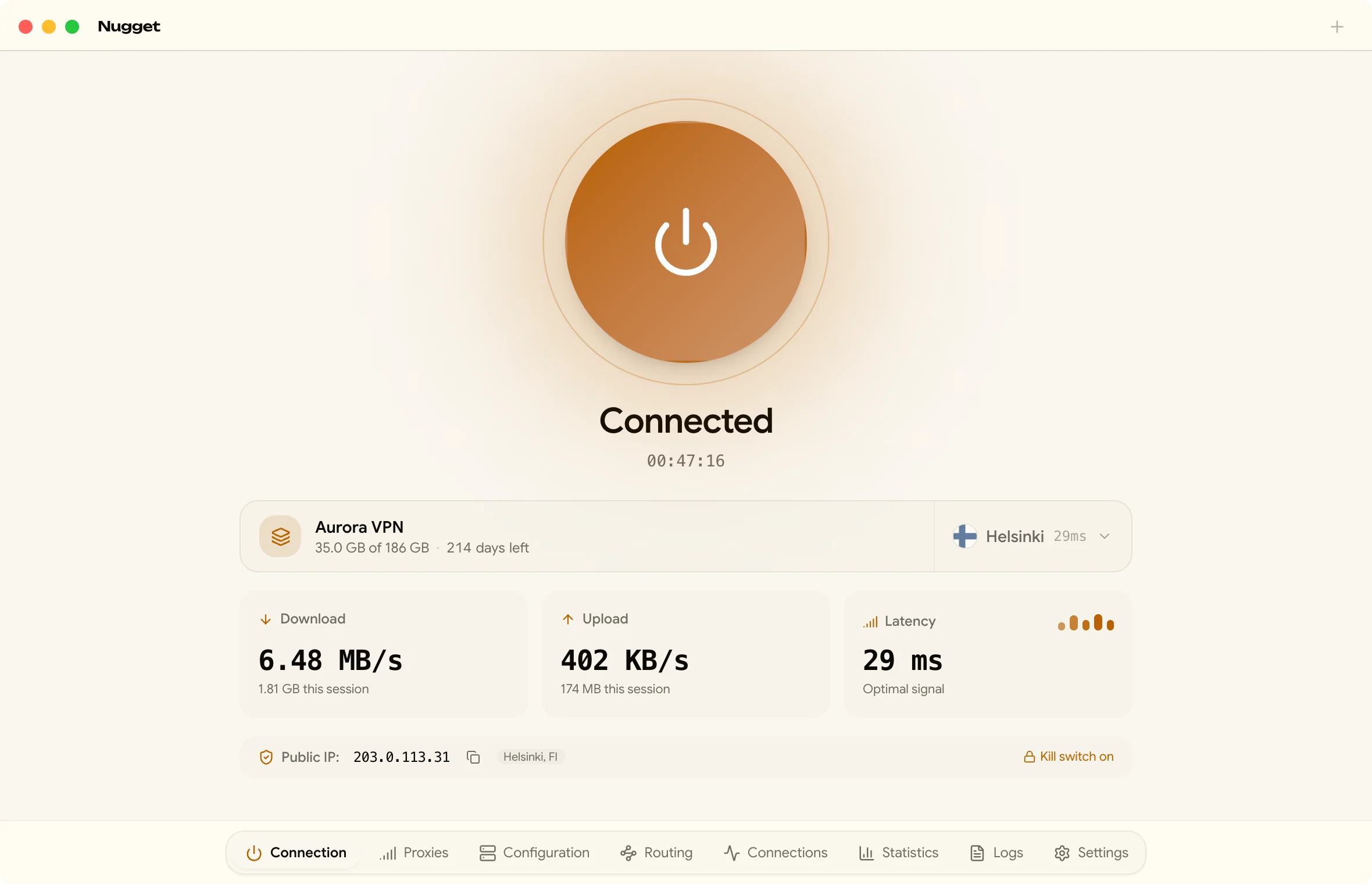
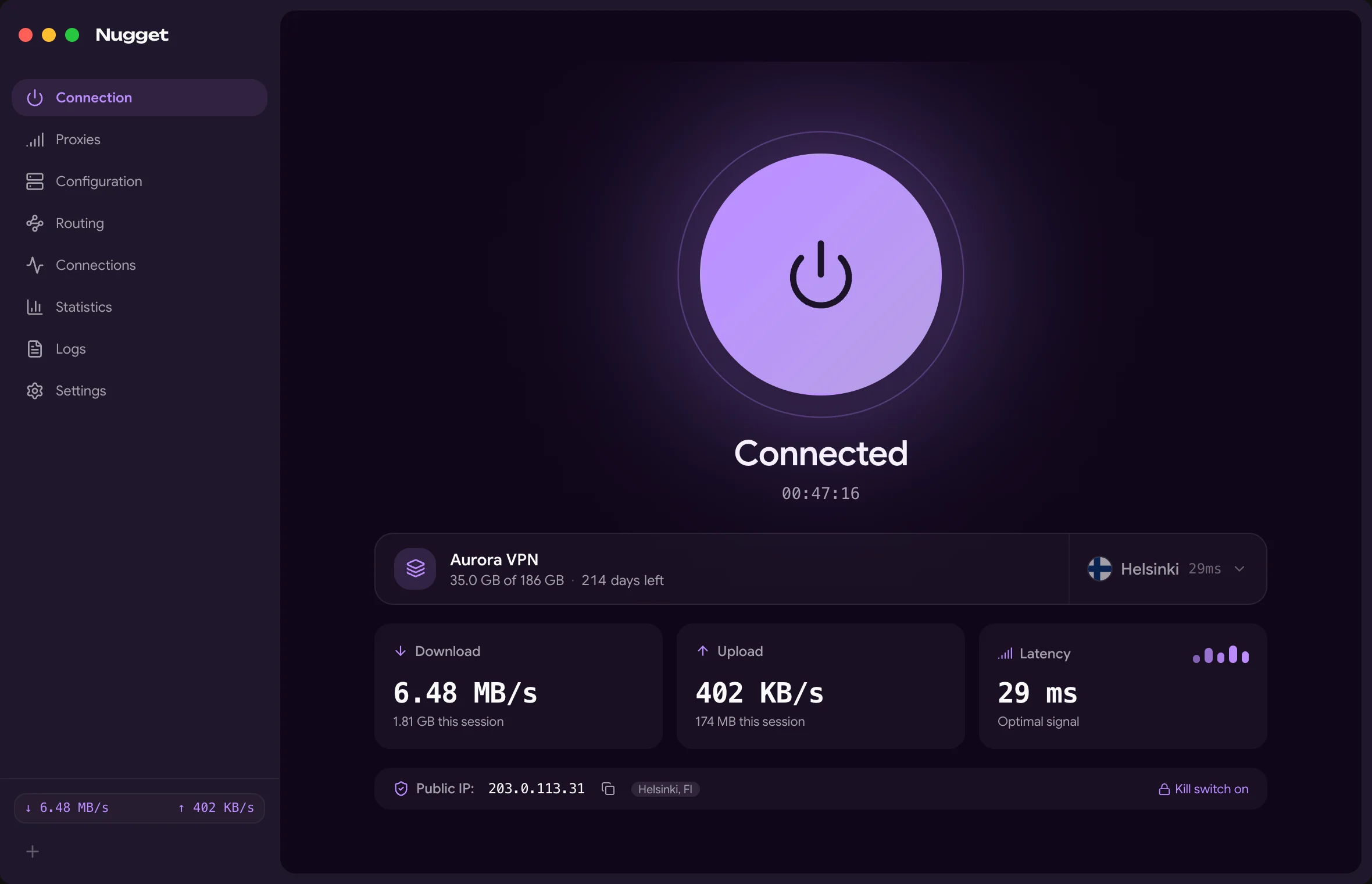
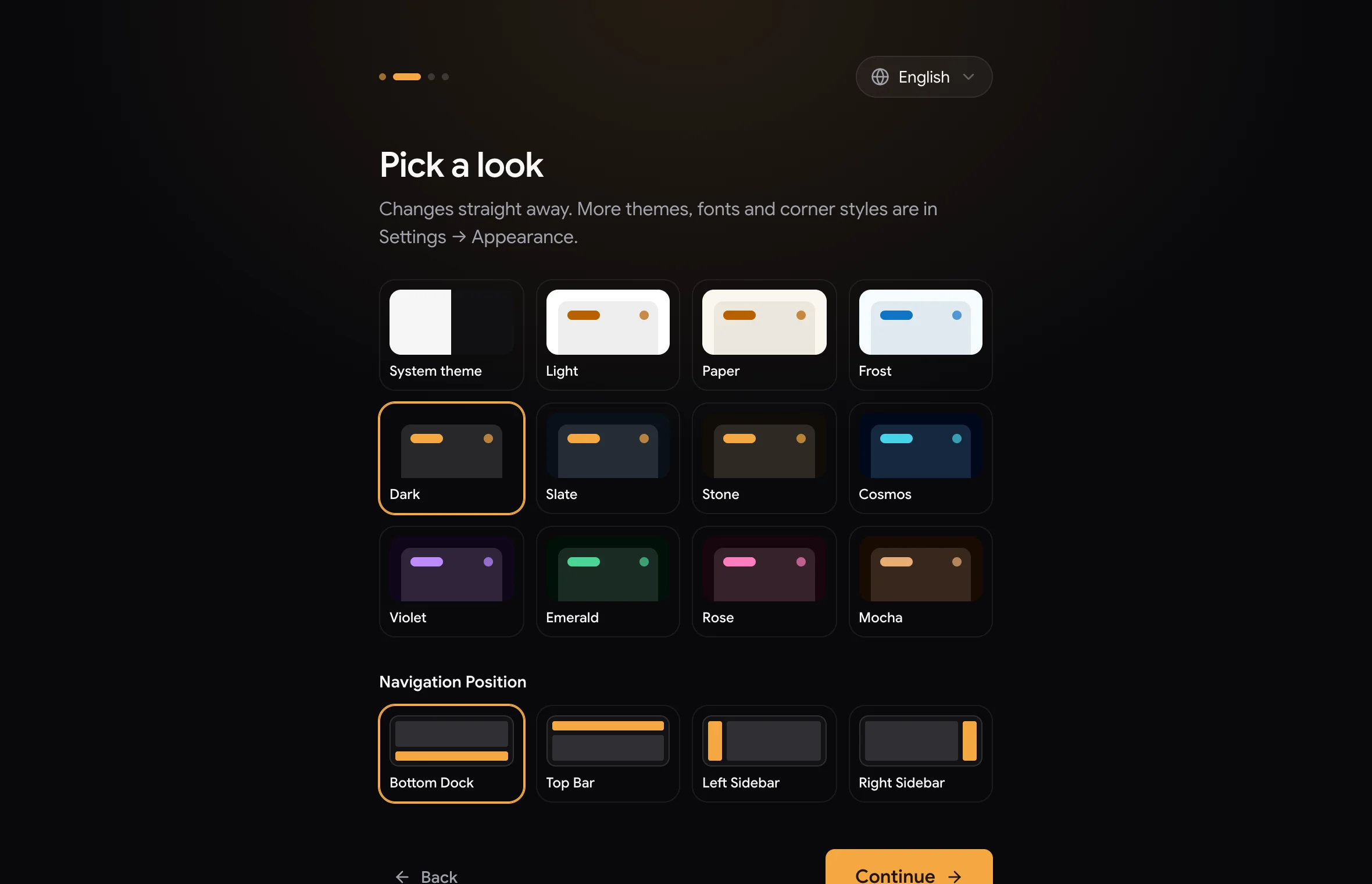
Over thirty themes, light and dark, or your own with a picture behind it. Change the colours, how round the corners are, how fast things move, and where the menu sits.

NuggetVPN in the light Paper theme.
Paper
NuggetVPN in the Violet theme with an inset sidebar.
Violet, inset sidebar
The first-start setup, choosing a theme and where the navigation goes.
First start

The details

Connecting
Press the button and Nugget finds the fastest server and connects, usually in under two seconds.
If it drops
Nugget reconnects by itself. Until it’s back, nothing leaves your computer unprotected.
Switching
Works with the exact same links as Happ, Hiddify, v2rayN or NekoRay. Paste your link, scan a QR code, or import config files with one click.
Stats
Live speed, a built-in speed test, and how much data each app used this week.
Updates
On Windows and macOS, Nugget updates itself and restarts. Nothing to download by hand.
Languages
فارسی, English, Русский, Українська, 中文 and 日本語.
Privacy
No account, no tracking. It only checks for updates and looks up your IP address, and you can turn both off.
Add-ons
Extra themes, fonts and ready-made settings. Each one only gets the access you give it.
Under the hood
sing-box, mihomo and Xray, all built in. You’ll never need to touch them, but you can switch in Settings.
Open source
All the code is on GitHub under the GPL-3.0, so anyone can check exactly what it does.
Free, no account, nothing to sign up for. All versions

macOS

Apple silicon and Intel

Linux

x86-64

Android

7.0 and newer

iOS

iPhone and iPad, 15 and newer

For people who know how to sideload. It’s not on the App Store, so you install it yourself with a paid Apple developer account. With a free Apple ID it installs but won’t connect.

Windows, in PowerShell

irm https://raw.githubusercontent.com/Rigby-Foundation/NuggetVPN/main/scripts/install.ps1 | iex

macOS and Linux, in a terminal

curl -fsSL https://raw.githubusercontent.com/Rigby-Foundation/NuggetVPN/main/scripts/install.sh | sh

Both download the latest version from GitHub, check it hasn’t been tampered with, install it and open it. Run them again to update.

Questions

Is NuggetVPN a VPN service?

No, it’s the app. The VPN itself comes from a provider you choose; after you pay, they usually send you a link. Paste that link into Nugget and it connects you.

Will it work with my VPN?

Almost certainly. If your provider gave you a link to paste into an app (it often starts with https://, vless:// or ss://), Nugget can use it.

Is NuggetVPN an alternative to Happ, Hiddify, v2rayN or NekoRay?

Yes. Nugget is designed as a much simpler, one-button alternative to Happ, Hiddify, v2rayN and NekoRay for desktop. If your provider gave you a link or config for any of those apps, paste the exact same link into Nugget — your servers, traffic balance and expiry date will transfer seamlessly.

Looking for a Happ alternative on PC or Windows?

Happ is great on mobile, but if you want the same simple, one-tap experience on your computer, NuggetVPN is the ideal desktop companion. It uses the exact same VLESS, Reality and Hysteria2 subscription links without complicated setups.

Is it free?

Yes, completely. No ads, no account, no paid version. The code is open, so it stays that way.

macOS says the app is damaged.

It isn’t. macOS just doesn’t recognise the developer, so it blocks the app. Open Terminal, paste xattr -cr /Applications/NuggetVPN.app, press Return, and open the app again. Installing with the terminal command above avoids this.

Why isn’t it on the App Store?

Apple only lets VPN apps onto the App Store from registered companies with a paid developer account, and it removes VPN apps in some countries, Russia among them, when the government asks. So for now the iPhone version is a file you install yourself, which takes some know-how.